I Built a Text-to-SVG Pipeline Over a Weekend (And You Can Too)

I'm building a side project that needed custom illustrations. The catch: I wanted them as SVGs, not raster images. I didn't love the existing AI art models for this, and I didn't love paying per-image for the services that were decent. So over a weekend, I chained together a local LLM, Flux image generation, and vtracer vectorization on ShadowStack to build my own. The result is Vecsmith, and I'm planning to open source it.
The Problem: AI Art is Pixels, Not Vectors
If you've ever tried to get an AI to generate SVGs, you know the pain. Most image models produce raster output: PNGs, JPEGs. They're great for photos and social media, but if you need scalable vector graphics for a web app, a logo, or print, you're stuck.
There are paid services that do text-to-SVG, and some of them are genuinely good. But I was looking at needing dozens of illustrations for my project, and the per-image costs were adding up fast. I started wondering: could I build something myself?
I already had ShadowStack sitting there with two RTX 5060 Ti GPUs and LLMKube running. The hardware was idle on weekends. Time to put it to work.
The Idea: Chain Four Tools Together
The core insight was that I didn't need a single model that outputs SVGs directly. I needed a pipeline:
Stage 1 takes your rough description ("a mountain at sunset") and uses a local LLM running on LLMKube to expand it into a detailed prompt that image models respond well to. Think of it as having a creative director sitting between you and the artist.
Stage 2 feeds that enhanced prompt into Flux.1-schnell, a fast diffusion model that generates high-quality raster images. It runs on the second GPU, so prompt enhancement and image generation can share the hardware without stepping on each other.
Stage 3 is where the magic happens. vtracer converts the raster image into SVG paths using color quantization and spline fitting. It runs on CPU, so it doesn't compete for GPU time.
Stage 4 cleans up the SVG output: normalizes the viewBox, rounds coordinates to reduce file size, and strips unnecessary attributes.
End to end, a single generation takes about 10-20 seconds. Not instant, but perfectly fine for an illustration workflow.
The Results
Here's what Vecsmith produces. These are real outputs from the pipeline, not cherry-picked or post-processed:
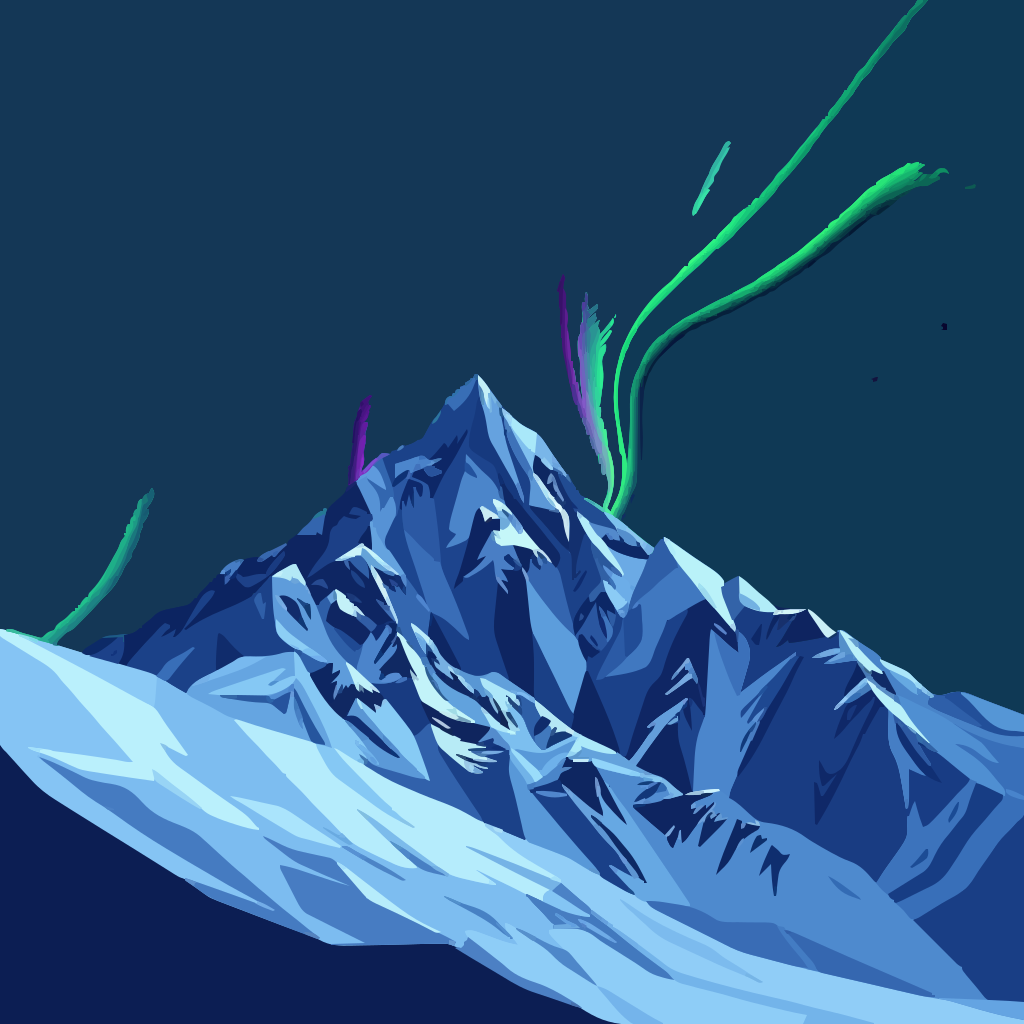
A mountain landscape with northern lights, generated entirely from a text prompt.

A friendly robot artist. Warm tones, clean shapes, all from text.

An isometric developer workspace. Purple and blue tones, minimal vector style.
Raster vs. Vector: The Pipeline in Action
To give you a sense of what the vectorization step actually does, here's the same prompt rendered as a PNG (direct Flux output) alongside the final SVG:

Flux raster output (PNG)
Vectorized output (SVG)
The SVG isn't a pixel-perfect replica of the raster. It's an interpretation, the same way a skilled illustrator would simplify and stylize a photograph. vtracer quantizes colors and fits splines to edges, which gives the output that distinctive vector illustration look. For my use case, that's exactly what I wanted.
Batch Mode: Generate Variations, Pick Your Favorite
One feature I added on day two was batch generation. Instead of generating one image and hoping it's perfect, you can generate 3, 5, or 10 variations in a single request. Each uses a different seed, so you get a range of interpretations to choose from.
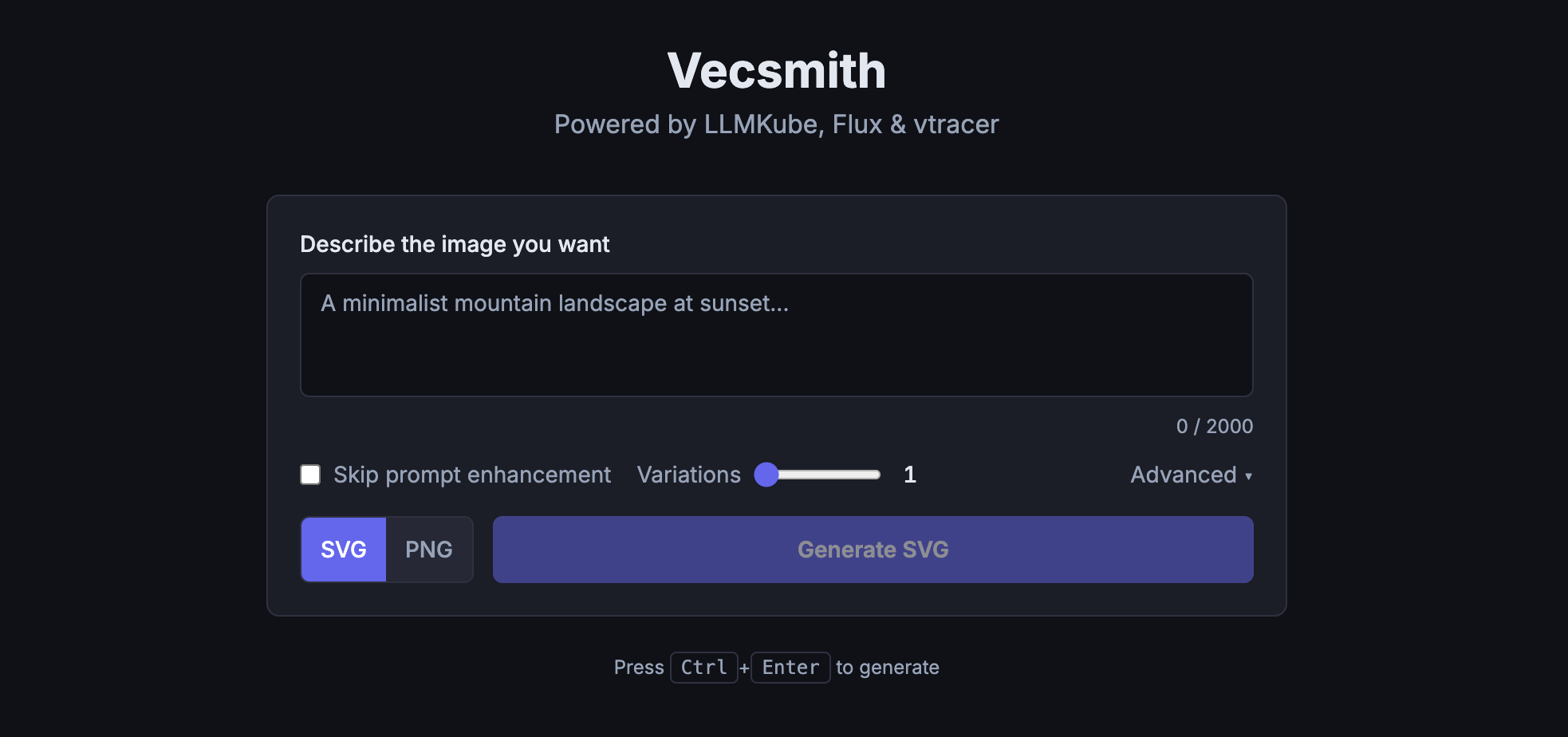
The Vecsmith UI with batch generation. Generate up to 10 variations and pick the best one.
The results stream back to the browser in real-time via SSE, so you see each variation appear as it finishes rather than waiting for all of them.
The Stack
For the curious, here's what's running under the hood:
| Component | What | Where |
|---|---|---|
| Prompt Enhancement | Llama 3.2 3B via LLMKube | GPU 0 (RTX 5060 Ti) |
| Image Generation | Flux.1-schnell (4 steps) | GPU 1 (RTX 5060 Ti) |
| Vectorization | vtracer (Rust, color stacking) | CPU |
| Orchestrator | FastAPI + SSE streaming | CPU |
| Frontend | SvelteKit + Tailwind | K8s pod |
The entire thing runs on Kubernetes, orchestrated by LLMKube for the LLM portion. Each component is a separate pod, which means I can scale or swap pieces independently. If a better vectorization tool comes along, I swap one container. If I want to try a different image model, same thing.
Performance Budget
Open Sourcing Vecsmith
Vecsmith started as a weekend hack to scratch my own itch. But the pipeline works well enough that I think others could get value from it, so I'm planning to open source it. The code is straightforward Python and TypeScript, and the only hard requirements are a GPU for Flux and an LLM endpoint (LLMKube, or any OpenAI-compatible API).
Stay tuned for the repo link. If you want to be notified when it drops, follow me on GitHub.
You Don't Need a Homelab to Start
I built this on ShadowStack because I had the hardware available. But you don't need a dedicated server to experiment with local LLMs and creative AI pipelines.
If you have a MacBook Pro with Apple Silicon, you can run LLMKube today. The M-series chips have unified memory and solid GPU performance, which is more than enough to run local LLMs for prompt enhancement and experiment with these kinds of pipelines. Install LLMKube, pull a model from the catalog, and start building.
The best part of running models locally is the freedom to experiment. There's no API bill counting up. No rate limits. No one watching your prompts. Just you, your hardware, and whatever strange pipeline you can dream up.
Weekend Hack Challenge
What can you build by chaining a local LLM with another tool? Text-to-SVG was my answer. Maybe yours is automated documentation, AI-powered code review, or generating test data. The LLM is just the starting point. The interesting part is what you connect it to.
Try LLMKube This Weekend
Install the CLI, deploy a model, and see what you can build. No cloud account needed. No API keys. Just your machine and an idea.